Need to temporarily disable connectivity to Managed Private APN SIM?
Easily "lock" SIMs and disable connectivity to a single or bulk selection of SIM cards.
Lock SIMs in bulk
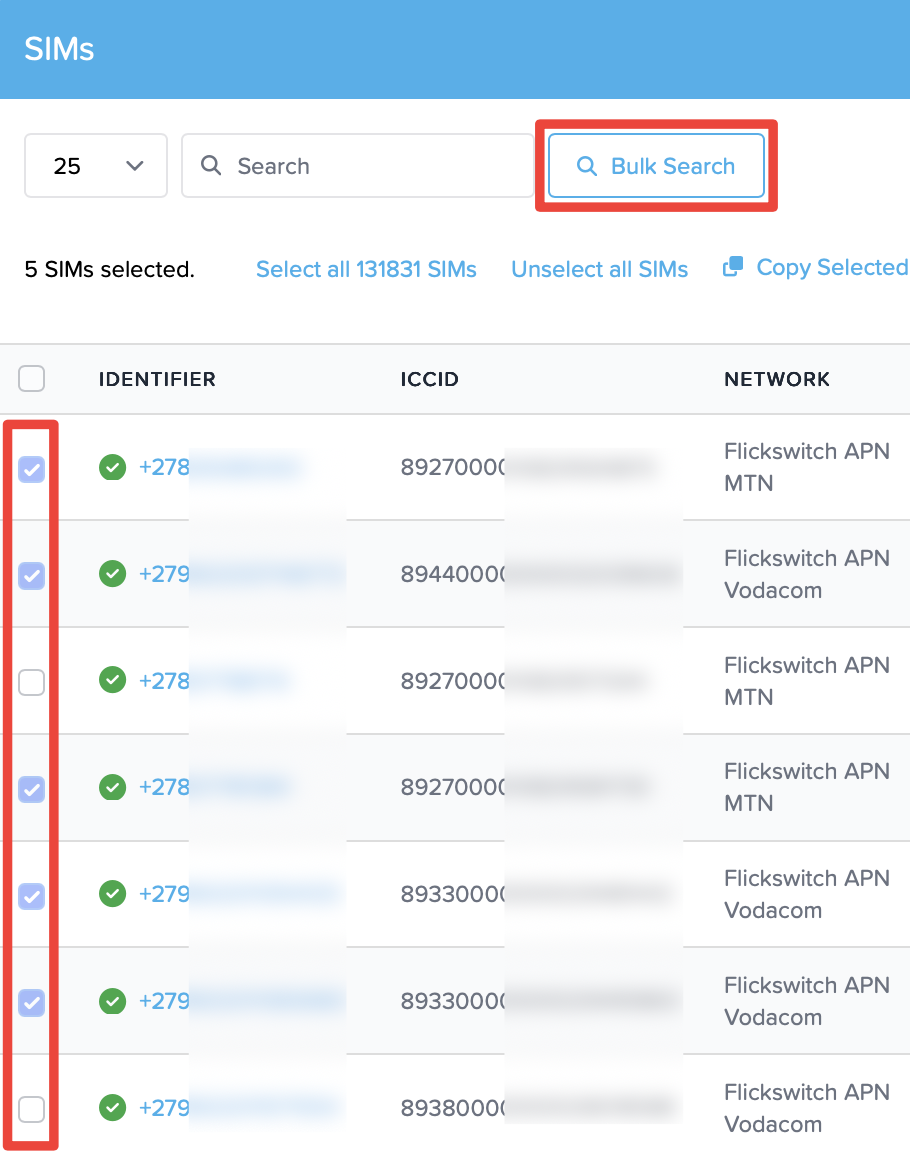
- On the SIMs screen, select the SIMs you'd like to lock (Filter by "Networks" to choose APN SIMs, or paste a list of SIMs into the Bulk Search box).
- Submit a maximum of 500 SIMs at a time.
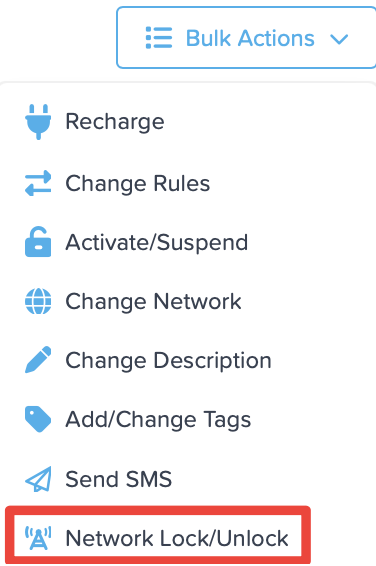
- Under Bulk Actions, select "Network Lock/Unlock
- Confirm the action. Important: Please wait at least 20 minutes for network lock to sync

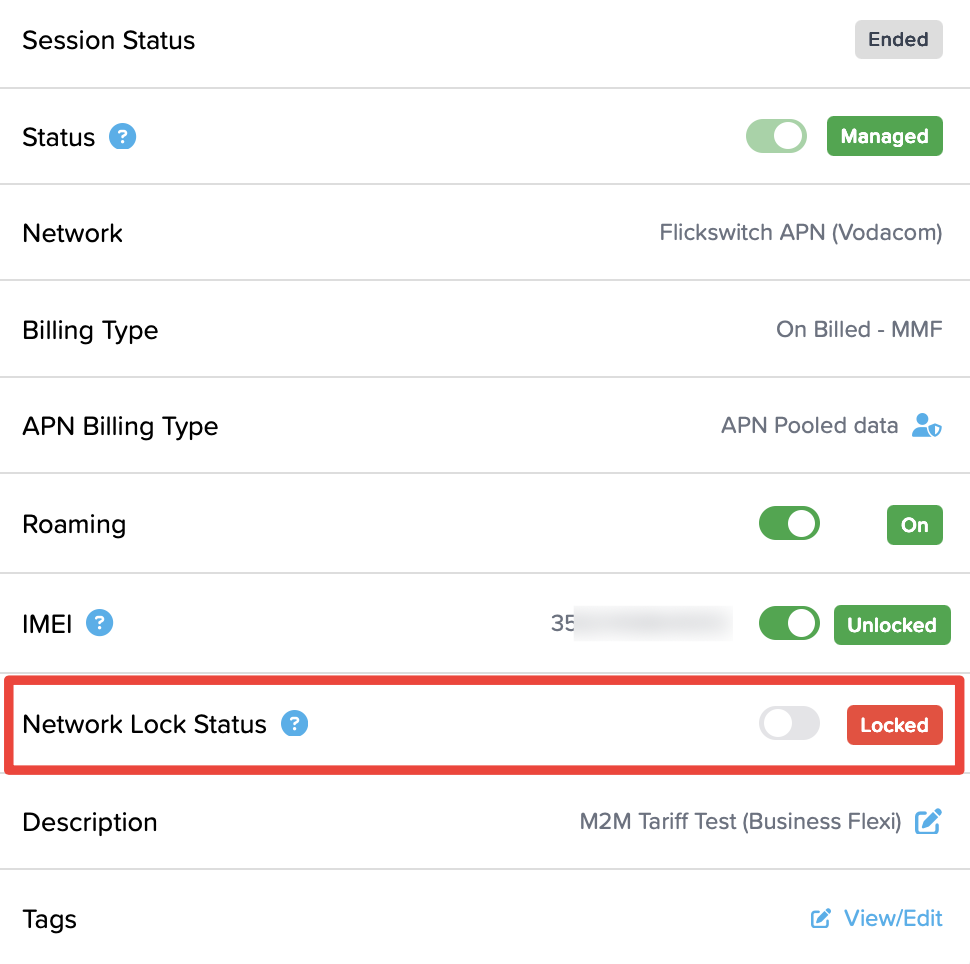
- On a SIM's profile screen, the Network Lock Status will now show "Locked"
Unlock SIMs in bulk
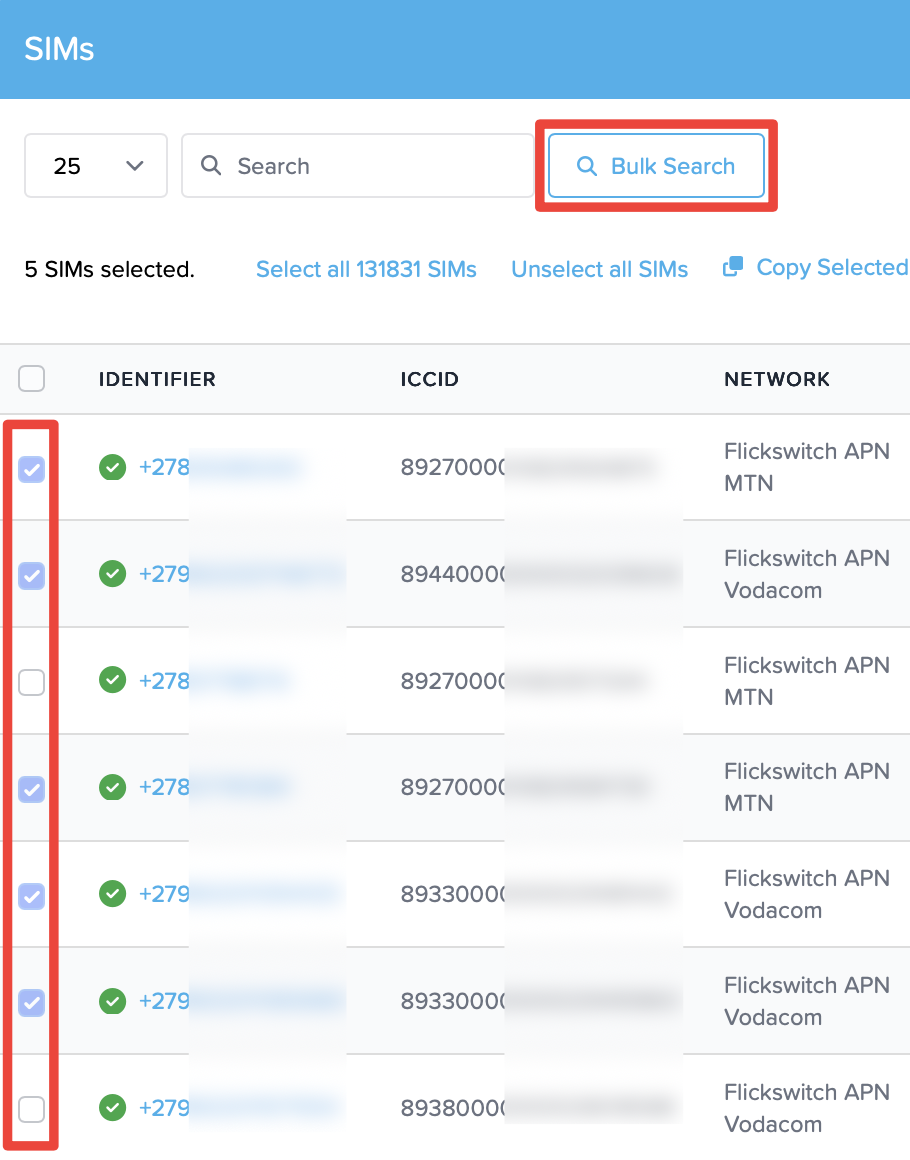
- On the SIMs screen, find locked SIMs by filtering by "Network Lock Status" / "Locked"

- Select SIMs to unlock. Under Bulk Actions, select "Network Lock/Unlock.
- Confirm the action. On a SIM's profile screen, the Network Lock Status will now show "Unlocked".
Important: Please wait at least 20 minutes for SIMs to sync and re-activate.
The device will need to attempt a new connection to establish connectivity.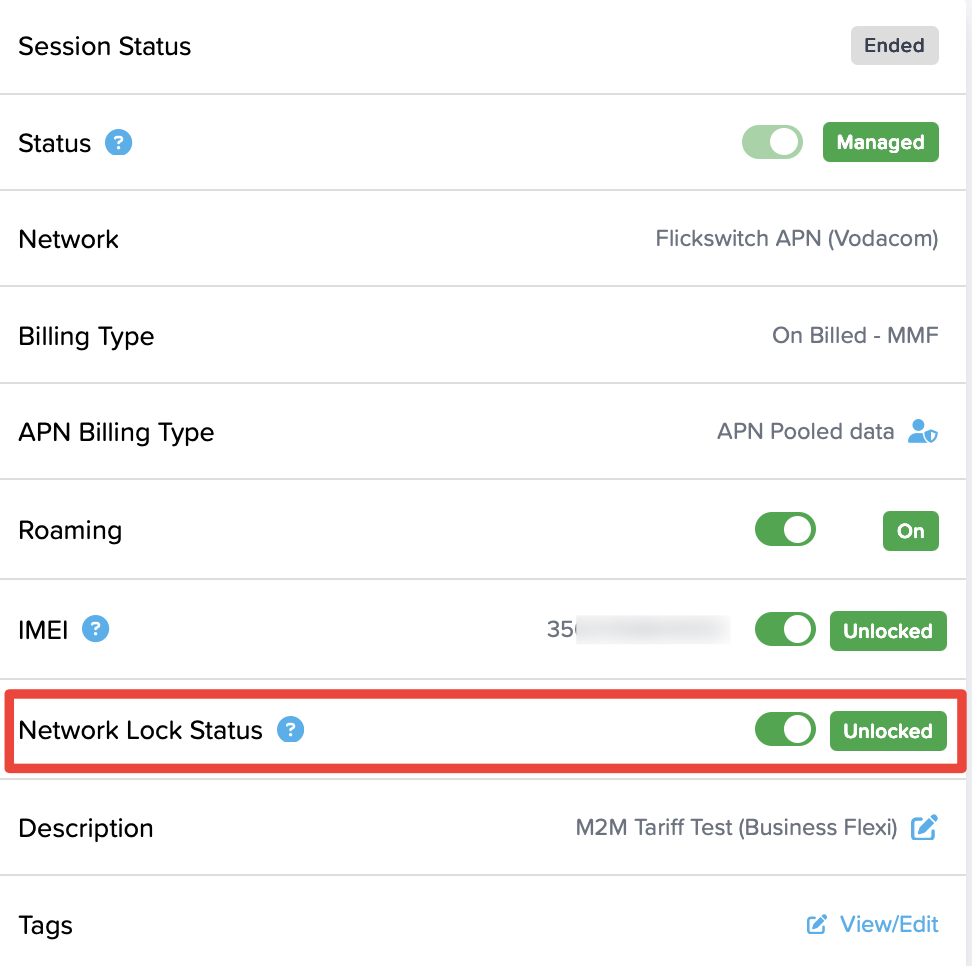
Prepaid SIMs: This functionality is not available on prepaid SIM cards.
Was this article helpful?
That’s Great!
Thank you for your feedback
Sorry! We couldn't be helpful
Thank you for your feedback
Feedback sent
We appreciate your effort and will try to fix the article