1) Go to the SIMcontrol login page:
South Africa: app.simcontrol.co.za
Namibia: app.simcontrol.com.na
Kenya: app.simcontrol.co.ke
2) Use your e-mail address and password to log in. If you have forgotten your password, click on "Forgot your password".
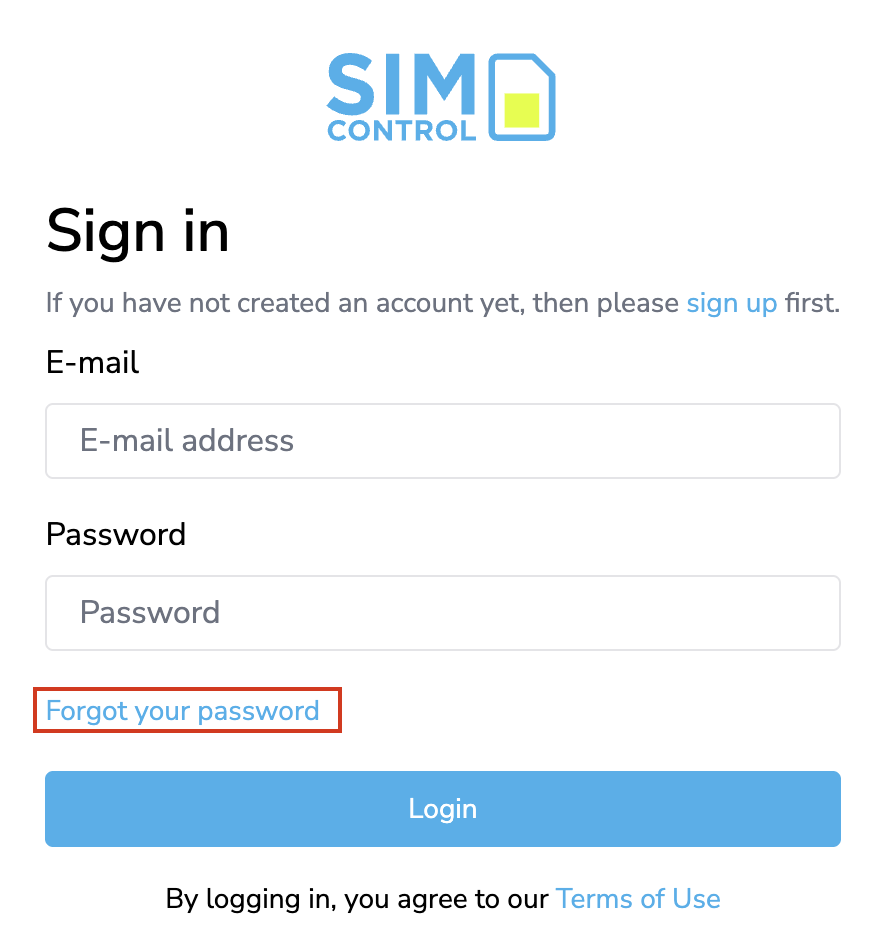
3) Insert the e-mail address linked to your SIMcontrol account and submit. You will receive a password reset e-mail. Follow the instructions and pick a new password. The password must be at least 8 digits in length.
Was this article helpful?
That’s Great!
Thank you for your feedback
Sorry! We couldn't be helpful
Thank you for your feedback
Feedback sent
We appreciate your effort and will try to fix the article