You can send a bulk SMS to multiple SIMs on the SIMcontrol platform.
This means you can efficiently send a single SMS command to multiple devices simultaneously.
The cost is R0.25 per SMS.
Bulk SMS can be accessed by
- Navigating to your organisation's SIM list screen
- Select the SIMs by selecting the individual check boxes. Alternatively you could use the Bulk Search to find a specific list of SIMs and selecting them all via the checkbox to the left of the IDENTIFIER column
- Select the Bulk Actions drop down and then selecting the Send SMS button.
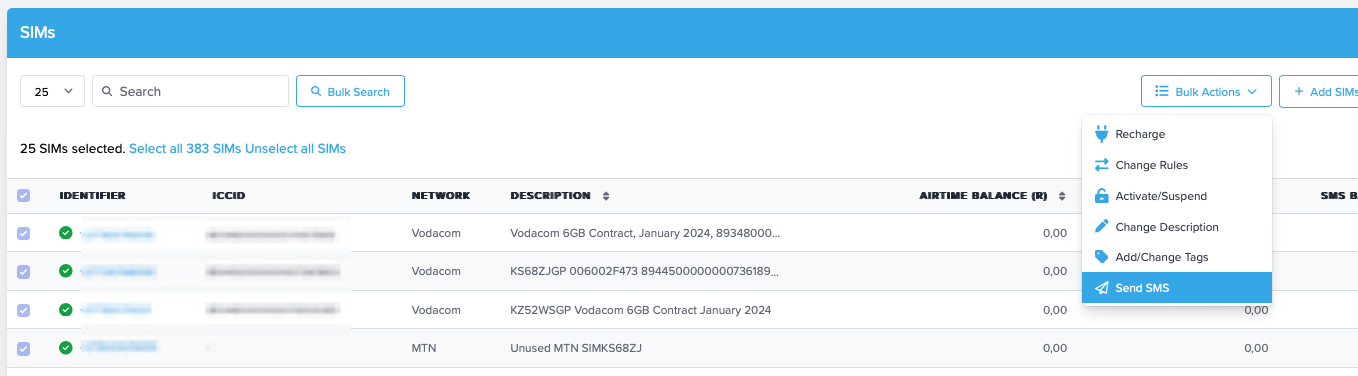
You will be presented with the following screen where you can draft a SMS message.
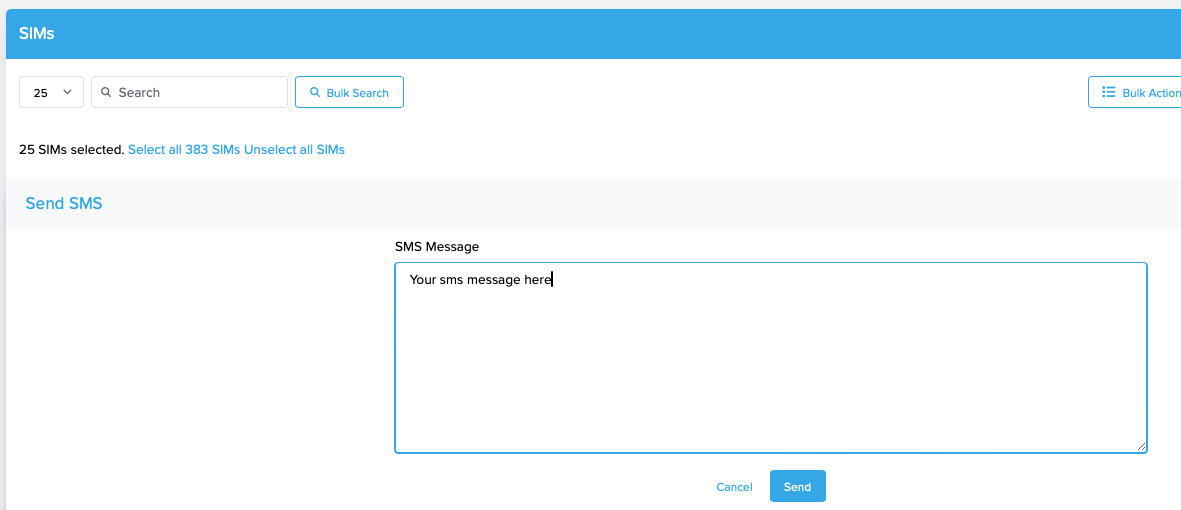
Once you select Send, the SMS will be sent to all selected SIMs.
View all sent SMS's and responses
Use the SMS tab to view a log of all SMS's sent via the platform, with related Status and Reply.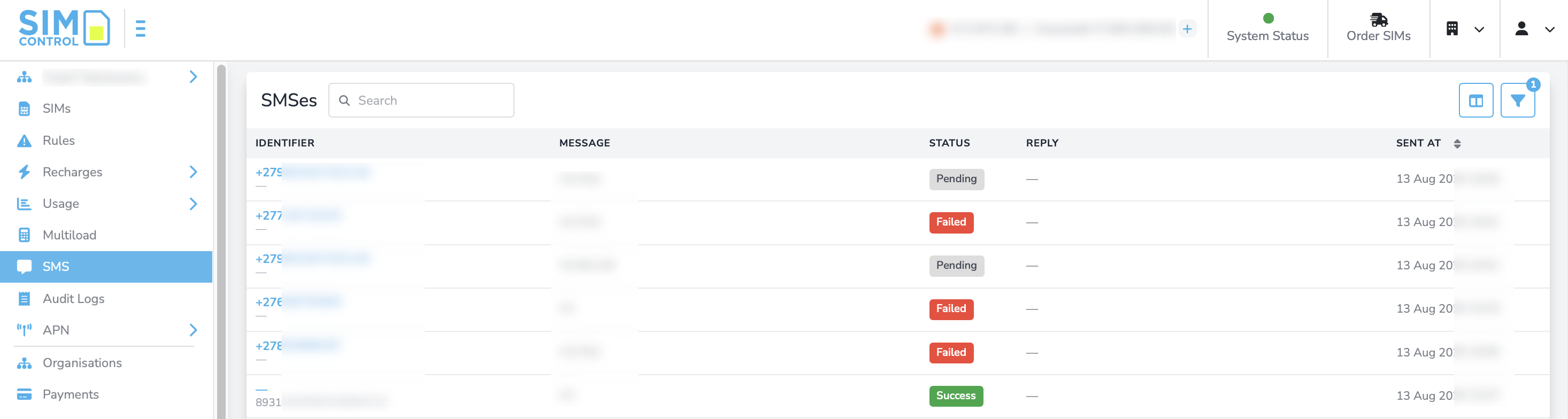
Was this article helpful?
That’s Great!
Thank you for your feedback
Sorry! We couldn't be helpful
Thank you for your feedback
Feedback sent
We appreciate your effort and will try to fix the article